All configuration fields are managed from the agecheck.pro dashboard and delivered to the SDK through GET /api/config/{verifier_id}/. This page documents every field, its type, default value, and valid options.
Identification and Verification Type
| Field |
Type |
Default |
Description |
verifierId |
string |
— |
Unique verifier identifier (e.g. v_abc123) |
verificationType |
string |
self-consent |
Verification method |
minAge |
integer |
18 |
Minimum age required for access |
mode |
string |
auto |
Modal activation mode: auto or manual |
isApp |
boolean |
false |
If true, forces the QR flow for native mobile apps |
Valid values for verificationType
| Value |
Description |
self-consent |
User confirms their age by clicking a button. No biometrics. |
face-ai |
Facial analysis with camera. Detects age and liveness. Uses QR handoff on desktop. |
document-ai |
Identity document verification (OCR). Uses QR handoff on desktop. |
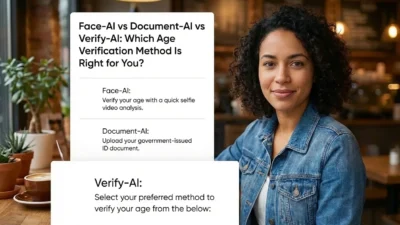
verify-ai |
Combined verification: face + document. Highest confidence level. |
Persistence
Controls how and for how long a verified user’s status is remembered.
| Field |
Type |
Default |
Description |
persistence.enabled |
boolean |
true |
Enables or disables storing the verification result |
persistence.ttlDays |
integer |
30 |
Days to remember the verification. Range: 1–365 |
persistence.storageType |
string |
both |
Storage method: cookie, localstorage, or both |
Visual Theme
| Field |
Default |
Description |
theme.fontFamily |
Inter |
Modal font family |
theme.backgroundColor |
#ffffff |
Modal background color |
theme.primaryColor |
#112106 |
Primary color: buttons, links, active checkbox |
theme.textColor |
#111827 |
Main text color |
theme.borderRadius |
20 |
Modal border radius in pixels |
theme.backdropBlur |
true |
Enables blur/frosted glass effect on the overlay |
theme.customCss |
"" |
Additional CSS injected into the modal |
Script Tag Attributes
Script tag attributes override part of the remote configuration:
| Attribute |
Description |
data-verifier-id |
Required. Identifies which configuration to load |
data-mode |
auto or manual. Overrides ui_mode from the dashboard |
data-debug |
true enables console logs with the prefix [AgeCheck SDK] |
data-container |
CSS selector of the modal container element. Default: body |
data-force-qr |
true forces the QR handoff flow regardless of device type |
data-environment |
live or test |
Rate Limiting
| Limit |
Value |
| Maximum failed verifications |
3 per hour per IP |
| Maximum successful verifications |
3 per minute per IP per entity |
| Response when limit exceeded |
HTTP 429 with retry_after: 60 seconds |
When the limit is exceeded, the SDK automatically shows an error screen with a countdown until the block expires.