Let’s face it. Nobody wakes up in the morning excited to implement a consent pop-up or an age gate on their website. If you run an online store, manage a community forum, or create independent content, you probably look at these regulations as a roadblock. You have likely asked yourself: Is it possible to comply with minor protection laws without watching my conversion rates plummet?
The short answer is yes. You don’t need an army of lawyers or a team of expensive developers to protect under-18 users and keep your site legally compliant.
By setting up a streamlined self-consent system for adult websites, e-commerce shops, or restricted platforms, you can check the compliance box while keeping your checkout process completely smooth.
Here is exactly how to configure self-consent on your site using agecheckPRO, step by step, without losing your hard-earned traffic.
What is Self-Consent? (And why your website needs it)
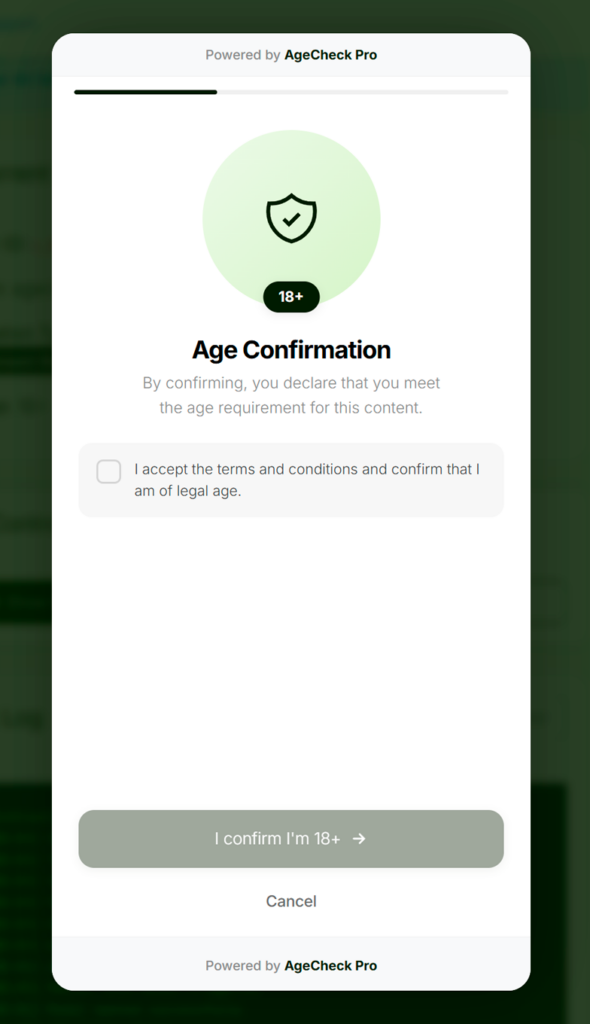
Think of self-consent as the digital equivalent of a polite sign on a storefront door that reads, “Must be 18 or older to enter.” It is a user-declared validation system. Instead of forcing someone to pull out their driver’s license just to look at a product catalog, you present a clean, clear screen where they actively confirm they meet the required age criteria.
For most websites dealing with age-restricted goods, digital downloads, or community spaces, a self-consent popups for e-commerce approach is the ideal first line of defense.
Why businesses are moving away from traditional “Age Gates”
Traditional age validation forms are notorious for killing sales. If your verification system feels like an interrogation, users will close the tab. A modern self-consent setup solves this by balancing two crucial elements:
- Legal Compliance: It establishes a clear paper trail showing that your business actively prevents underage access.
- Zero Friction: It respects your users’ time, allowing legitimate adult buyers to enter your site in exactly one click.
How to configure self-consent on your site, a step-bystep guide
Setting up an online age checker doesn’t require you to write hundreds of lines of code. agecheckPRO is designed as a plug-and-play SaaS age verification solution that works across WordPress, Shopify, custom HTML, and forum platforms.
Step 1: Create and initialize your account
First, you need to set up your master dashboard where you will manage your consent screens.
- Head over to the agecheckPRO Login & Registration Page to create your free account.
Step 2: Customize your consent pop-up design
An ugly, generic warning screen looks untrustworthy. You want your age verification screen to match your brand identity so users feel safe interacting with it.
- Visual Styling: Upload your brand logo, choose matching brand colors, and select clean typography.
- The Text: Avoid overly stiff, legalistic jargon. Use direct, friendly language like, “To view this content, please confirm you are over 18.”
- The Logic: Decide if you want a simple “Yes/No” selection, a birthdate entry dropdown, or a single-click checkbox confirmation.
Step 3: Set your cookie and session Rules
You don’t want to annoy regular customers by asking them to verify their age every single time they click a new link on your site.
- Configure your session rules in the dashboard to remember verified users.
- By setting up a persistent first-party cookie, a returning customer will only see the pop-up once every 30 days (or whatever timeframe matches your industry standards).
Step 4: Embed the script into your header
Once your design is ready, agecheckPRO generates a lightweight, optimized script.
- Copy the snippet provided in your dashboard.
- Paste it directly into the
<head>section of your website architecture. - Because the script is fully asynchronous, it won’t slow down your page load speeds or hurt your SEO rankings.
Balancing security, when is self-consent enough?
A common question among small e-commerce merchants and community managers is: Can I rely exclusively on self-consent, or do I need stricter identity checks?
It all comes down to your specific industry, your local regulations, and the type of product you sell. Let’s break down the ideal use cases for this layer of security:
| Feature/Use Case | Self-Consent Screen | Advanced ID & AI Verification |
| User Friction | Zero friction (1-click entry) | Low-to-medium friction (requires camera/ID) |
| Best For | Forums, lifestyle content, general 18+ store entry, digital downloads | Online tobacco/vape sales, alcohol delivery, gambling, heavy financial compliance |
| Data Privacy | High privacy (No personal data collected) | Compliant storage (Encrypted biometric/ID data) |
| Implementation | Installed in under 5 minutes | Integrated via Advanced Web API |
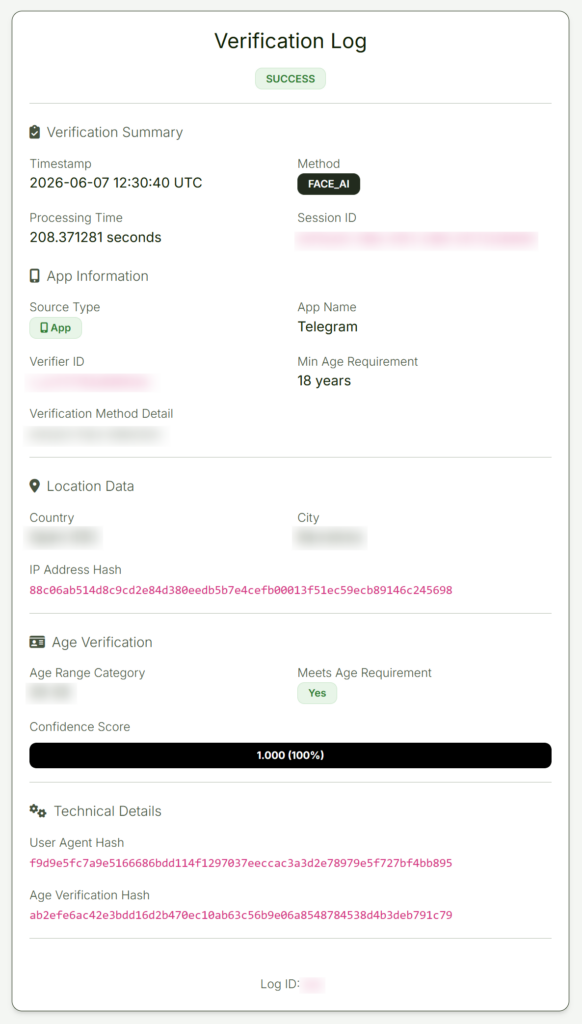
If you are selling high-risk, heavily regulated goods like vaporizers or alcohol, you might want to pair a frontend self-consent entrance gate with a biometric or document check at checkout. However, for content restriction, community forums, or initial site entrances, self-consent is the gold standard for user retention.
Best practices for a seamless user experience
If you want to keep your digital age control strategy invisible to your conversion rates, follow these quick deployment tips:
- Don’t Block Search Engines: Ensure your pop-up allows search engine web crawlers (like Googlebot) to index your content behind the gate. agecheckPRO handles this automatically, ensuring your SEO traffic remains completely unaffected.
- Optimize for Mobile Screens: Over 60% of web traffic originates from mobile devices. Your consent prompt must scale cleanly on smartphones, featuring tap-friendly buttons that don’t require zooming in.
- Transparency First: Keep a clear link to your privacy policy right on the consent window. When users see a clean digital consent notice, it builds trust and reassures them that you aren’t logging or selling their personal data.
Take control of your website compliance today
Protecting minors and securing your online business shouldn’t mean sacrificing your checkout performance or spending days fighting with complex code. Whether you manage a global digital marketplace or a niche community forum, setting up an automated age checker is the smartest way to future-proof your site against changing online regulations.
Ready to see how easy it is to protect your users and your business? You can get started right now.
Create your account on our agecheckPRO to configure your custom consent layout in minutes. If you have unique enterprise compliance requirements or need help finding the right balance between AI estimation and self-consent, contact our sales team today for a personalized walkthrough.